If you’ve ever opened Notion, stared at the empty page, and said, “Yaar, kuch likhne ka mann hi nahi ho raha,” then you’re not alone. That’s exactly why Notion AI 2025 is blowing up. It’s not just another AI tool—it’s basically your writing partner, research buddy, idea generator, and sometimes even your personal therapist (minus the judging).
In 2025, Notion AI has evolved into one of the most efficient, reliable, and user-friendly AI assistants built directly inside a productivity app. In this article, I will break down how it works, what’s new, the real benefits, real limitations, and everything users are asking on Google right now.
Let’s begin.
Why Notion AI 2025 Matters for Content Writers and Productivity Lovers
If you’re a content writer, freelancer, student, or even a startup founder trying to organise life (and failing), Notion AI 2025 simplifies the chaos. Unlike other AI tools that behave like they live on Mars, Notion AI works “inside your notes,” making writing and planning feel natural.
Here’s why users love it:
- It saves time by helping you write first drafts.
- It cleans your writing with smart rewrites.
- It summarises long notes in seconds.
- It organises messy ideas into a usable structure.
- It understands your workspace context.
The best part? You don’t need five different AI apps open. Notion AI 2025 does it all in one place.
How Many Times Can I Use AI on Notion for Free?
This is currently the most searched question.
The reality (as per Notion’s official documentation) is
Notion offers limited free AI actions per account.
The free plan usually gives you a small number of AI credits to try features like summarising, rewriting, or generating content.
After that, you need the paid Notion AI add-on.
Simply put:
- Free users → Limited AI actions
- Paid users → Unlimited usage (fair-use policy applies)
Notion hasn’t made AI fully unlimited for free because AI computing costs real money. They’d probably go bankrupt if everyone used AI for full essay-writing daily.
Is Notion Free in India?
Short answer: Yes, Notion itself is free in India.
However, Notion AI 2025 is a paid add-on worldwide, including in India.
- Notion Free Plan → Free to use
- Notion AI Add-On → Paid monthly or yearly subscription
This is publicly confirmed on Notion’s pricing page.
So yes, Notion is free. But Notion AI 2025 is not free if you want full usage.
Is Notion AI 2025 Good for Productivity?
Absolutely. In fact, this is where Notion AI shines the most.
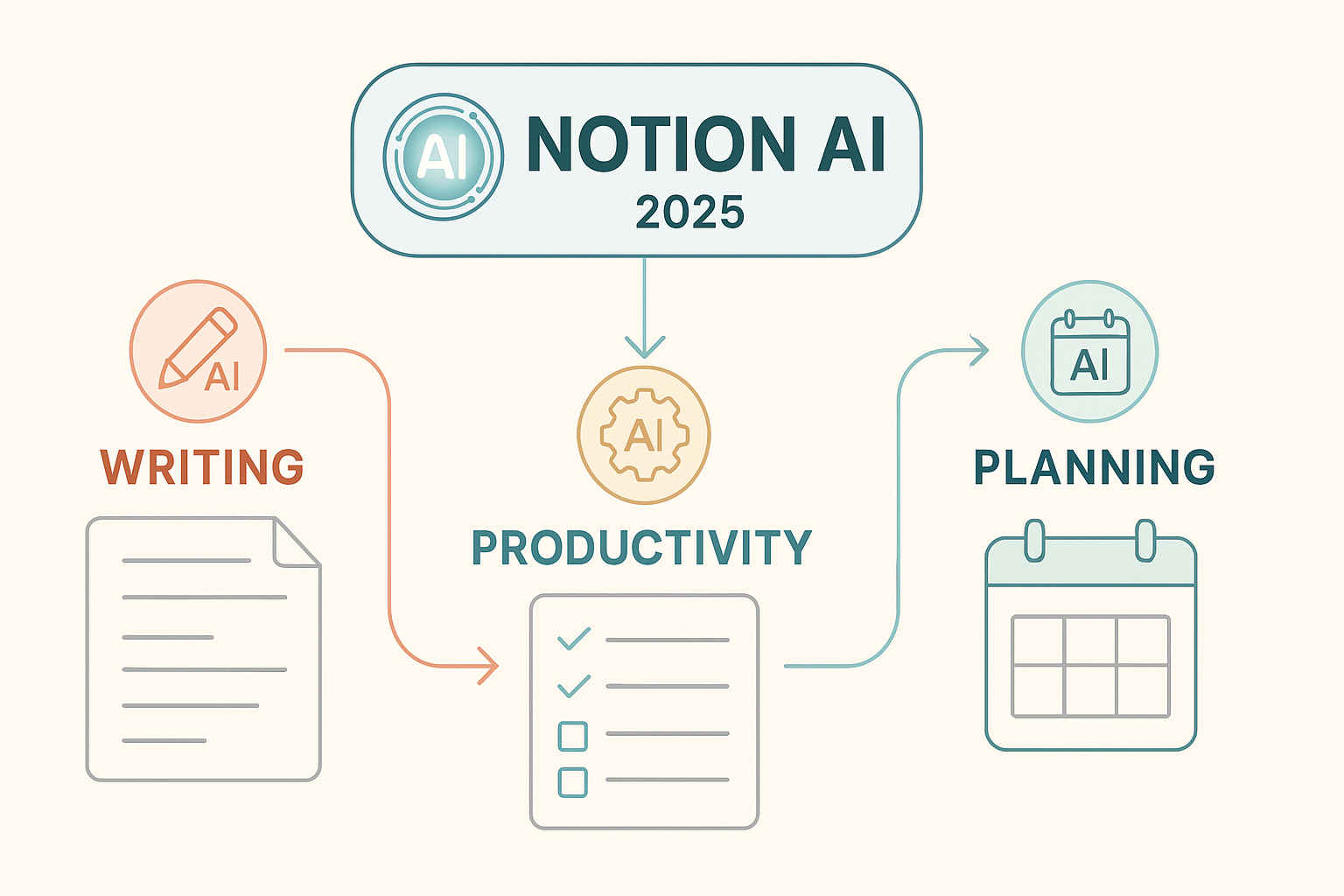
Here’s how users improve productivity using Notion AI 2025:
✔ Faster Writing
It generates outlines, summaries, emails, blogs, briefs—everything.
✔ Smarter Organisation
Turn messy notes into structured docs. It’s like teaching your thoughts to behave.
✔ Instant Clarity
It can simplify complex topics and help you learn faster.
✔ Reduces Mental Load
You don’t have to think from scratch. Just tell it what you want.
If you’ve ever struggled with writer’s block, Notion AI 2025 will feel like a cheat code.
Also read Gemini Nano 3 Pro AI Image Trends 2025.
Who Is Notion’s Biggest Competitor?
This is a fun one.
Notion AI 2025 has several strong competitors, depending on what feature you’re comparing:
1. Evernote + AI
Great for note-taking, but not as flexible as Notion.
2. Microsoft Copilot
Powerful AI built into Office apps. A threat, especially for business users.
3. Google Workspace Gemini AI
A rising challenger. The advantage? Almost everyone uses Gmail, Docs, and Sheets.
4. ClickUp AI
Notion is the closest competitor to project management.
If you ask productivity lovers, ClickUp is the closest. If you ask enterprises, Copilot scares Notion more. But in the creativity and writing category, Notion AI 2025 currently leads because of usability.
What Are the 7 Types of AI?
People search for this to understand Notion AI better. Here are the official categories accepted in academic and AI research sources:
- Reactive Machines
- Limited Memory AI
- Theory of Mind AI
- Self-Aware AI
- Narrow AI
- General AI
- Superintelligent AI
Notion AI 2025 falls under Narrow AI—it performs specific tasks extremely well but doesn’t have emotions, ego, or regret (unlike humans).
What Is the Future of Notion AI?
2025 is a massive year for AI, and Notion is betting big on integrating deeper AI models.
Industry analysts and Notion’s roadmap point to:
More Personalised AI
It will learn your writing patterns and workspace automatically.
Better Research Tools
Notion AI may soon integrate trusted sources into summaries.
Real-Time Collaboration + AI
Imagine AI cleaning your text while you type.
Full Workspace Automation
You’ll be able to automate workflows, content scheduling, and project updates.
If Notion continues at this pace, Notion AI 2025 could become the default personal assistant for writers and productivity users worldwide.
Real-World Use Cases That Make Notion AI 2025 Worth It
1. Content Writing
Drafts, outlines, headlines, rewrites—instant.
2. Student Research
Summaries, notes, and concept explanations.
3. Business Teams
Project planning, meeting summaries, and task creation.
4. Personal Productivity
Journaling, habit tracking, and planning.
5. Knowledgebase Building
Turn scattered ideas into structured databases.
Notion AI feels like giving your productivity system superpowers.
Should You Use Notion AI 2025? – Final Opinion
If you:
write regularly
manage projects
track goals
organize ideas
take notes
or run a business
Then Notion AI 2025 will save you hours every single week.
If you’re someone who opens 20 tabs to “feel productive,” then this tool might save your brain from burnout.
My Honest Opinion:
Notion AI 2025 is currently one of the most balanced AI tools—smart, stable, user-friendly, and actually helpful without being overwhelming.
It won’t replace your creativity, but it will amplify it.
FAQs About Notion AI 2025
1. Is Notion AI 2025 free to use?
No. Notion itself is free, but Notion AI 2025 is a paid add-on. You get limited free AI actions only for testing.
2. How many times can I use AI in the free plan?
Notion gives a small number of trial AI actions. After that, you must upgrade to continue using features like summarising, rewriting, and generating content.
3. Does Notion AI 2025 work offline?
No, it requires an internet connection because the AI runs on cloud servers.
4. Is Notion AI reliable for students?
Yes. Students use it for summaries, assignments, project planning, and note organisation. Just make sure to verify facts, because AI tools can sometimes miss context.
5. Who is the biggest competitor of Notion AI?
ClickUp AI, Google Workspace Gemini, and Microsoft Copilot are Notion’s biggest competitors, depending on the user category.
Conclusion
Notion AI 2025 is more than just a shiny upgrade—it’s becoming a real partner for writers, students, and productivity lovers. It cuts down the time you normally spend thinking, structuring, rewriting, or searching for clarity. Instead of jumping between multiple apps, you get one intelligent workspace that understands your style, your workflow, and your goals.
As AI improves, Notion is positioning itself as a tool that doesn’t replace your creativity but boosts it. Whether you’re planning content, summarising notes, preparing a pitch, or simply trying to keep your life organised, Notion AI 2025 offers a level of simplicity and speed that makes productivity feel effortless.
If you want a future-proof tool that grows with your needs and integrates AI in a natural, non-intrusive way, Notion AI 2025 is one of the best options on the market right now.