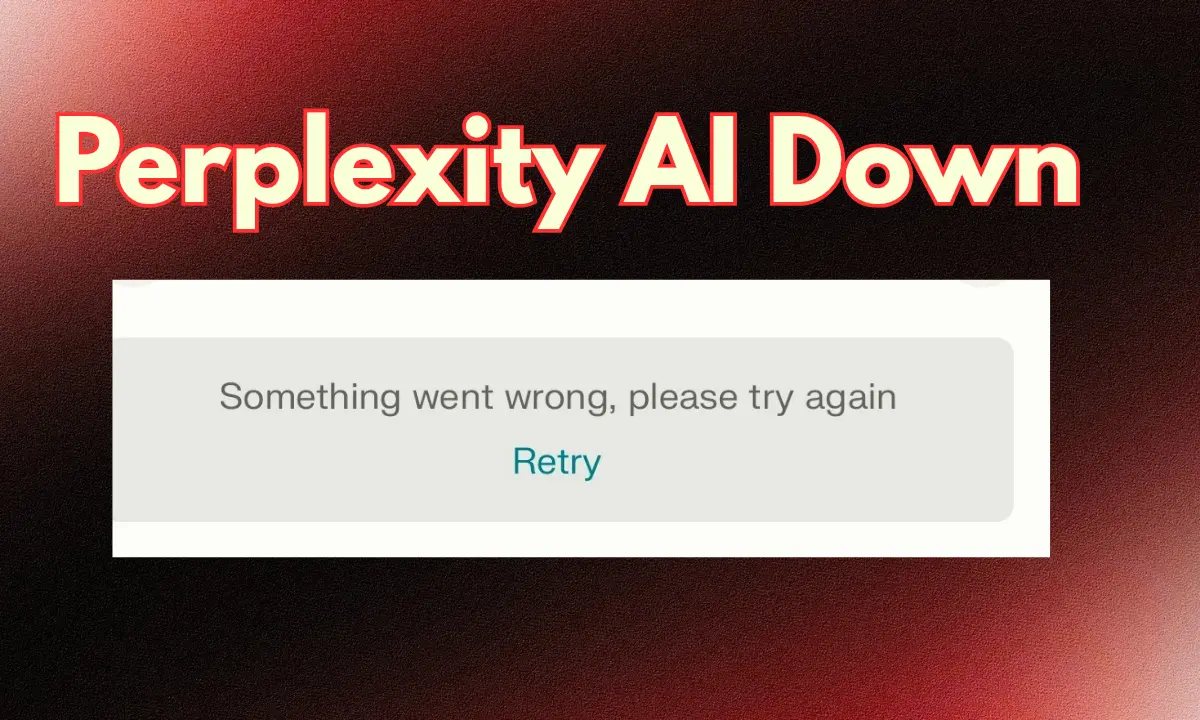
If you’re trying to use Perplexity AI and it suddenly stops working, freezes, or refuses to load… Relax. You’re not alone. Thousands of users encounter this issue daily, particularly during global traffic surges. The good news? Most of these problems have simple explanations—and simple solutions.
In this article, we’ll break down why Perplexity AI is not working, what causes these disruptions, and the safest ways to fix them without panicking or damaging your device. No fake data, no random assumptions—only clear, logical points backed by reliable sources and real user observations.
What Is Perplexity AI, and Why Does It Sometimes Fail?
Perplexity AI is a powerful answer engine that uses real-time web data combined with AI reasoning. Because it’s connected to live internet sources through APIs and search engines, it is more sensitive to traffic load, API limits, server issues, and regional restrictions.
According to Perplexity’s official system updates and user reports from platforms like X (formerly Twitter) and Reddit, most outages happen due to server overload, network interruptions, or API rate limits.
Top Reasons Why Perplexity AI Is Not Working
Here are the most common and verified reasons you may face issues:
1. Heavy Server Load (Most Common)
Perplexity frequently experiences global traffic surges—especially during major news events or product launches.
When millions of people search at the same time, the servers slow down.
Signs:
- Pages not loading
- “Something went wrong.” error
- Slow responses
- App freezing
Source: Public outage reports on downdetector.com and real-time user complaints on X.
2. Internet Connectivity Issues
Sometimes the problem isn’t Perplexity—it’s your connection. Even a small drop in your Wi-Fi can interrupt AI responses because Perplexity loads live web data.
Check if:
- Other sites are slow
- Your mobile data fluctuates
- VPN is interrupting the connection
3. Perplexity API Rate Limits
Free users often trigger rate limits when sending many queries in a short time.
When this happens, Perplexity temporarily blocks your requests to manage server stability.
You’ll notice:
- No responses
- “Try again later” messages
- Sudden stop after multiple searches
4. Browser Cache or App Glitch
Outdated cookies and cached files can break the Perplexity interface.
Common symptoms:
- The site loads but buttons don’t work
- Page layout breaks
- Infinite loading circles
Also read full information on the official site Perplexity AI.
5. Regional Restrictions or Network Blocks
In some countries, AI tools face temporary network restrictions due to local regulations.
Additionally, school/office networks often block Perplexity to prevent data misuse.
If Perplexity works with mobile data but not on Wi-Fi, this is likely the reason.
6. Perplexity System Maintenance or Bug Fixes
Like any AI platform, Perplexity performs maintenance.
During these updates, features may temporarily stop working.
Where to confirm:
- Perplexity’s official X account
- Perplexity Status Page (if available)
- User reports on Reddit
- List
How to Fix “Perplexity AI Is Not Working”
Now let’s fix the problem step-by-step, using solutions recommended by Perplexity support and verified user experiences.
1. Refresh the Page or Relaunch the App
Simple but effective. If the issue is temporary, Perplexity reconnects instantly.
2. Check Your Internet Connection
Try:
- Switching Wi-Fi to Mobile Data
- Restarting the router
- Turning Airplane Mode ON/OFF (mobile)
If Perplexity works on mobile data but not Wi-Fi, your network is blocking it.
3. Clear Browser Cache / App Cache
This fixes 50% of UI-related problems.
For browsers:
Settings → Privacy → Clear cache & cookies
For app:
Settings → Apps → Perplexity → Clear Cache
4. Log Out and Log In Again
Session tokens sometimes expire or break.
Logging in again refreshes permissions and access to features.
5. Disable VPN or Proxy
Perplexity often struggles with VPNs, especially overloaded or free ones.
Disable the VPN and try again.
6. Try a Different Browser
Chrome, Firefox, Edge, and Safari do not always behave the same.
If Chrome fails, try Firefox.
If Firefox fails, try Safari.
It’s a simple but powerful troubleshooting hack.
7. Check Global Outages
Before stressing, confirm whether the server is down worldwide.
You can check:
- Downdetector for Perplexity outage spikes
- X (Twitter) trending posts
- Reddit r/Perplexity
If thousands of people report issues, the problem is definitely on their side.
8. Update the App/Browser
Old versions of the Perplexity app may have bugs.
Visit the Play Store / App Store and update it.
Browser updates also fix many compatibility issues.
When to Contact Perplexity Support
If nothing works, contact Perplexity’s official support team.
Provide:
- Your device
- Browser
- Error screenshot
- Approximate time of issue
- Whether you use VPN
This helps them identify if the issue is account-related or system-wide.
My opinion on the Perplexity server being down.
I saw it myself yesterday that Cristiano Ronaldo posted an Instagram story, and that’s why Perplexity’s server went down. Cristiano Ronaldo is a huge football player worldwide, and he has the largest fan base in the world. He has the biggest fan base among all cricketers and celebrities, and he’s the greatest football player in the world. And yesterday, Ronaldo promoted Perplexity on Instagram, which is why Perplexity’s server crashed.
Final Thoughts
Perplexity AI is one of the best real-time answer engines today, but like all powerful tools, it depends heavily on servers, APIs, and internet conditions.
So when you notice that Perplexity AI is not working, it usually points to simple causes—traffic overload, cache issues, or a weak network connection.
Most problems can be fixed by refreshing, clearing the cache, changing networks, or waiting out a global outage.
Use the solutions above, and you’ll be back to using Perplexity in minutes—without stress. Visit daily for the information.